
Yes, if the laptop supports USB-C Power Delivery charging and a power profile offered by this charger. Connect it to the USB-C port using a suitable cable. Up to 100W is available with the USB-C port used alone.





Marine USB-C PD 100W Fast Charger Socket — 12V/24V
SKU:
US2XH-2
- 24.50€
- 24.50€
- Unit price
- per
Marine USB-C PD 100W Fast Charger Socket — 12V/24V
- BAYWATT
- 12V / 24V DC
- USB-C 100W + USB-A 36W
- IP65
- See specifications ↓
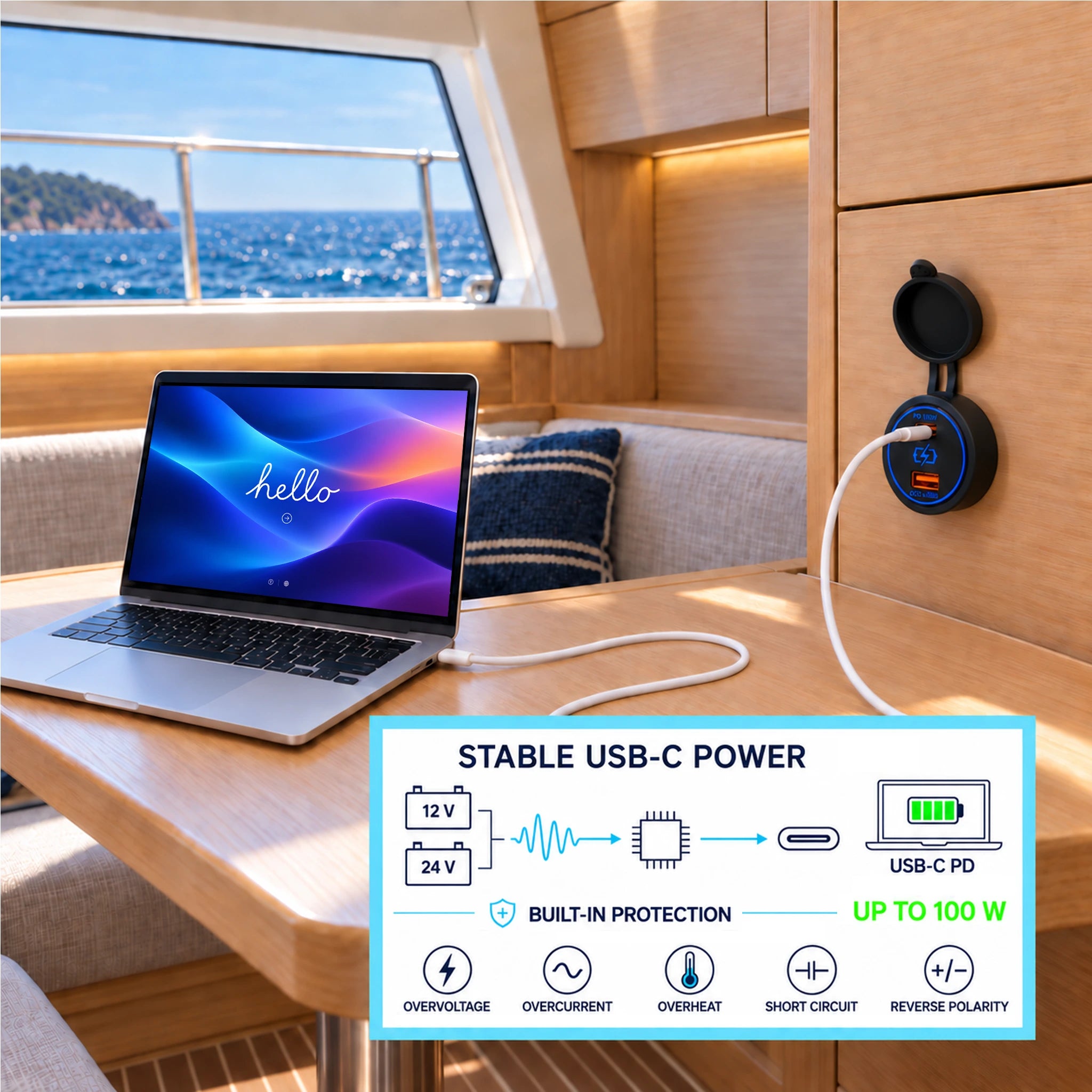
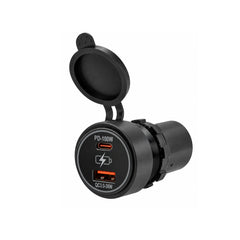
Charge your laptop aboard, even away from the dock. The BAYWATT marine USB-C PD charger delivers up to 100W from either a 12V or 24V boat electrical system. Charge a compatible MacBook, USB-C laptop, tablet or smartphone directly from the boat’s DC supply, without a mains charger or an AC inverter.
Install it beside the chart table, in the saloon or at a sheltered helm. A second USB-A QC 3.0 port up to 36W keeps compatible phones and accessories charged alongside a laptop.
Smart charging: the power your device can accept
USB Power Delivery lets the charger and device agree on a supported voltage and power level. A device requesting 60W can receive up to 60W; one requesting 90W can receive up to 90W when the device, cable and charger support the required profile. The charger does not force 100W into a phone.
The rating is an available maximum. Charging power changes with battery level, temperature and device use; it does not guarantee a fixed charging time.
Convenient Charging on Your Boat
USB-C laptop charging up to 100WPower compatible MacBook Air, MacBook Pro and other USB-PD laptops. Models requiring more than 100W may charge more slowly under heavy load.
100W capability on 12V and 24VVoltage conversion provides USB-C charging voltages up to 20V. A 24V battery bank is not required to access the 100W USB-C maximum.
USB-A up to 36WUse Quick Charge 3.0 with compatible phones and tablets, within the specified simultaneous power allocation.
Two Devices Connected: How Much Power Is Available?
With USB-C used alone, output is up to 100W. With both ports connected, the specified allocation is up to 60W USB-C + 36W USB-A = 96W combined, on 12V and 24V systems. This is not 136W of simultaneous output.
IP65 Protection for Your Marine Installation
Five built-in safeguards protect against overvoltage, overcurrent, overtemperature, short circuit and reverse polarity.
The socket has an IP65 rating and a protective cap. For exterior installation, choose a sheltered location, close the cap when not in use and protect the rear connections. Keep open ports and plugs dry while charging: IP65 protection with a cable connected is not established.
No integrated on/off switch. To disconnect the charger between trips, use a suitable separate switch on the electrical panel.
Panel or BAYWATT Bracket Installation
- Choose an accessible, sheltered location with clearance behind the panel and room to open the cap.
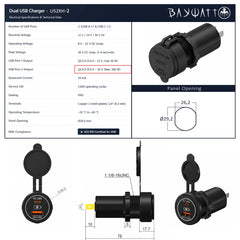
- Use a Ø29mm opening. The front collar projects approximately 17mm (drawing dimension: 17.7mm). Insert the body and secure the rear locking nut.
- Observe the marked positive and negative terminals. Use insulated 6.3mm female spade connectors, appropriately sized marine cable and a fused or breaker-protected supply.
- For USB-C charging above 60W, use a 5A electronically marked cable rated for at least 100W.
Compatible BAYWATT flat, round or POD supports adapt the installation to your console. A multi-position panel can combine USB charging with another compatible socket, voltmeter or switch.
Technical Specifications — US2XH-2
| Reference | US2XH-2 |
|---|---|
| Ports and protocols | 1 × USB-C PD + 1 × USB-A QC 3.0 |
| Nominal boat system | 12V / 24V DC |
| Operating input voltage | 12–32V DC |
| Maximum USB-A output | 36W |
| Maximum USB-C output | 100W alone; 60W with USB-A |
| Both ports in use | 60W USB-C + 36W USB-A; up to 96W |
| USB-A output voltage | 5–12V |
| USB-C output voltage | 5–20V |
| Quiescent current | 20mA |
| Protection rating | IP65; close the cap when not in use |
| Electrical protection | Overvoltage, overcurrent, overtemperature, short circuit and reverse polarity |
| Operating temperature | −20°C to +60°C |
| Panel cut-out | Ø29mm |
| Front diameter | Ø36.5mm |
| Front collar projection | 17.7mm, approximately 17mm |
| Overall length | 78mm |
| Supply terminals | 6.3mm spade terminals; nickel-plated copper |
| Specified service life | 5,000 operating cycles |
Dimensions correspond to the model’s technical drawing. Check the template before drilling. Actual charging power depends on the device, cable, boat supply and operating conditions.
Compare the Four BAYWATT Marine USB Sockets
Choose the connections and power suited to your devices. All four models are intended for 12V/24V systems and have an IP65 rating.
| Model | Ports | USB-A maximum | USB-C maximum on one port | Total limit | Suggested use |
|---|---|---|---|---|---|
| US2X3 | 2 × USB-A | 18W per port | — | 36W | Phones, tablets and USB-A accessories |
| US2XH | USB-A + USB-C | 18W | 60W | 65W | USB-C laptop or tablet plus USB-A accessories |
| US2XC | 2 × USB-C | — | 60W | 60W | Two USB-C devices; up to 60W total |
| US2XH-2 | USB-A + USB-C | 36W | 100W alone; 60W with USB-A | 100W USB-C alone; 96W with both ports | Laptop charging up to 100W on USB-C alone |
Maximum outputs require compatible devices, protocols and cables. Individual port ratings do not automatically add together; observe each model’s total limit.
How to use :
Link to the blog
Discover tips, tricks, and detailed instructions on using our product in our dedicated blog post. Learn about setup, operation, and optimization to get the most out of your purchase.
Link to the blog
Frequently Asked Question
Our Recommendations


Marine Dual USB-A QC 3.0 36W Charger Socket — 12V/24V
- 9.80€
- 9.80€
- Unit price
- per


Marine Dual USB-C 60W Fast Charger Socket — 12V/24V
- 21.50€
- 21.50€
- Unit price
- per


Modular Power & Monitoring Panels (Flush Mount)
- From 1.80€
- From 1.80€
- Unit price
- per


Modular Power & Monitoring Panels (Surface Mount)
- From 2.60€
- From 2.60€
- Unit price
- per


Single Round Bracket for 12V Accessories
- 2.30€
- 2.30€
- Unit price
- per
- Choosing a selection results in a full page refresh.


